
Archived from the Tools In Action forum (In The Shop). This thread is read-only.
Anyone here ever use SketchUp?
I may try it out for drawing furniture projects.
Do you like the program?
I tried it awhile back and was not impressed but that’s coming from someone who has used other drafting programs from Autodesk and the like. I may give it a second go it you guys say its really good.
How easy is it to use and learn?
I only used it very minimal. Mostly just tried it out. Seemed hard to dimension and whatnot. If I remember correctly snaps were harder to get than other programs. May try out a tutorial if it would be beneficial to me.
Do you use the free version or the paid?
Back when I tried it there was a free and paid version. That was probably at least 2 years ago. I’m sure it probably has changed by now. If there is a paid version in addition to a free what are the advantages over the free and is it worth it to get the paid?
Is there anything you feel it is missing that you would like it to have?
If I remember correctly I felt the dimensioning and snaps were lacking. I’m sure I wasn’t using them to their fullest. I was trying the program without any tutorials.
Seems to me like a very popular program to draw out furniture plans.
Jronman wrote:
9 minutes ago, Jronman said:Anyone here ever use SketchUp?
I may try it out for drawing furniture projects.
Do you like the program?
I tried it awhile back and was not impressed but that’s coming from someone who has used other drafting programs from Autodesk and the like. I may give it a second go it you guys say its really good.
How easy is it to use and learn?
I only used it very minimal. Mostly just tried it out. Seemed hard to dimension and whatnot. If I remember correctly snaps were harder to get than other programs. May try out a tutorial if it would be beneficial to me.
Do you use the free version or the paid?
Back when I tried it there was a free and paid version. That was probably at least 2 years ago. I’m sure it probably has changed by now. If there is a paid version in addition to a free what are the advantages over the free and is it worth it to get the paid?
Is there anything you feel it is missing that you would like it to have?
If I remember correctly I felt the dimensioning and snaps were lacking. I’m sure I wasn’t using them to their fullest. I was trying the program without any tutorials.
Seems to me like a very popular program to draw out furniture plans.
@rrmccabe is the king of Sketchup. If anyone knows the answers to these, it would be him.
LOL, John I was typing this as you responded.
Not the King but I can giter done if needed 🙂
So…
Yes, use it all the time.
I have been doing CAD work for about 30 years. I primarily used AutoCAD which is still superior for mechanical drawings. However Sketchup is great for 95% of what I do. I only use AutoCAD for special engineering projects or to layout a DXF file to have something CNCd or cut with a water jet.
Sketchup was actually the program that got me to jump into 3D modeling. I find it very easy to use.
You mentioned dimension issues. Well that is the ‘main’ difference between paid and free. Sketchup itself is not designed to dimension. The dimensions it adds are placed as 3D objects so when you rotate to another view they are skewed or not even visible. The paid version includes a program called Layout. To properly dimension, you import your Sketchup drawing into Layout and set your views (side, top and front as an example) on sheets and dimension them. Works much better.
There are hacks that you can use in Free Sketchup to dimension. It basically involves creating a scene. Scenes remember if something is hidden or not. So you can dimension a front view and save it as a scene. Then hide those dimensions and rotate around and dimension the side and save that scene. So when you switch between scenes it gives you the proper view with the right dimensions turned on. Its a hack and not nearly as robust as using the Layout application but it will work.
I have the paid version but went many years running the free version.
Let me know if you have more questions or I missed something !
A youtube woodworker named Jay Bates did a series of Sketchup video on his channel.
I was really into SketchUp about eight or so years ago when it first came out. Got pretty good at it, but there are only so many uses for SketchUp a ten year old dipshit could come up with and I stopped using it. I use the Autodesk Inventor suite almost exclusively now. That program is ?????????. It can do a lot of useful animation and modeling. Way easy to find dimensions too. I got it free though as Autodesk is awesome and offers all of its software for free to students. I got it last fall during my senior year. I haven’t fired up my computer since then so I don’t know if I can still use it now that I’m not a student. Way easier to learn and use than SketchUp. This was a prototype I mocked up in there that I haven’t gotten around to having printed.
Stercorarius wrote:
16 minutes ago, Stercorarius said:I was really into SketchUp about eight or so years ago when it first came out. Got pretty good at it, but there are only so many uses for SketchUp a ten year old dipshit could come up with and I stopped using it. I use the Autodesk Inventor suite almost exclusively now. That program is ?????????. It can do a lot of useful animation and modeling. Way easy to find dimensions too. I got it free though as Autodesk is awesome and offers all of its software for free to students. I got it last fall during my senior year. I haven’t fired up my computer since then so I don’t know if I can still use it now that I’m not a student. Way easier to learn and use than SketchUp. This was a prototype I mocked up in there that I haven’t gotten around to having printed.
Yeah i can get any Autodesk software but I was looking for a long term solution since you only get a copy for 3 years. I haven’t used Inventor in quite awhile but I use Solidworks which is basically the same. There’s one program called Inventor Fusion that is basically a free version of Inventor that I may try.
I’ve used SketchUp for the last 6 years (I think) and I really like it for my uses, shop projects and temporary projects.
It’s gotten better over the years but something are probably a lot easier in more expensive programs like Autodesk. My biggest issue is when I am trying to round something over but I don’t need to do that often.
I found it rather easy to use and I have no background with drafting programs. I had the basics down in about an hour. I tend to try to do things on my own before looking for tutorials or help with it. That being said there are a lot of good tutorials out there for it now. The ones from Jay Bates that rfwjr mentioned are good. Like most things there is always something you’re not going to know that someone else does.
I use the free version, now called SketchUp Make, because I don’t use it for commercial purposes. Any benefits from using the paid version are lost on me because of the $800 price tag (at least I think that’s still the price).
It does not have keyboard shortcuts for every tool which can get really annoying. There is nothing worse than getting really into a project and flying through it only to suddenly need a tool that doesn’t have a shortcut and having to find it in the tool bar.
Sent from my iPhone using Tapatalk
Jronman wrote:
Yeah i can get any Autodesk software but I was looking for a long term solution since you only get a copy for 3 years. I haven’t used Inventor in quite awhile but I use Solidworks which is basically the same. There’s one program called Inventor Fusion that is basically a free version of Inventor that I may try.
I prefer solid works over inventor, may not be as user friendly but once you find your way around you can get things done a lot easier
Sent from my iPad using Tapatalk
One thing that gives Sketchup an edge for woodworkers is the large amount of stuff you can download from the 3D warehouse like Fasteners, tools, etc. I also often drop in tools or appliances that are correct in size just to help visualize my design. My wife has less vision than I do when it comes to this stuff so that helps her see what I am thinking.
Its a very capable program and I have designed and built many things with it including my house. The house is “as built” including correct stud locations, engineered trusses, etc. Has a layers and is complete with everything from footings to exterior insulation.
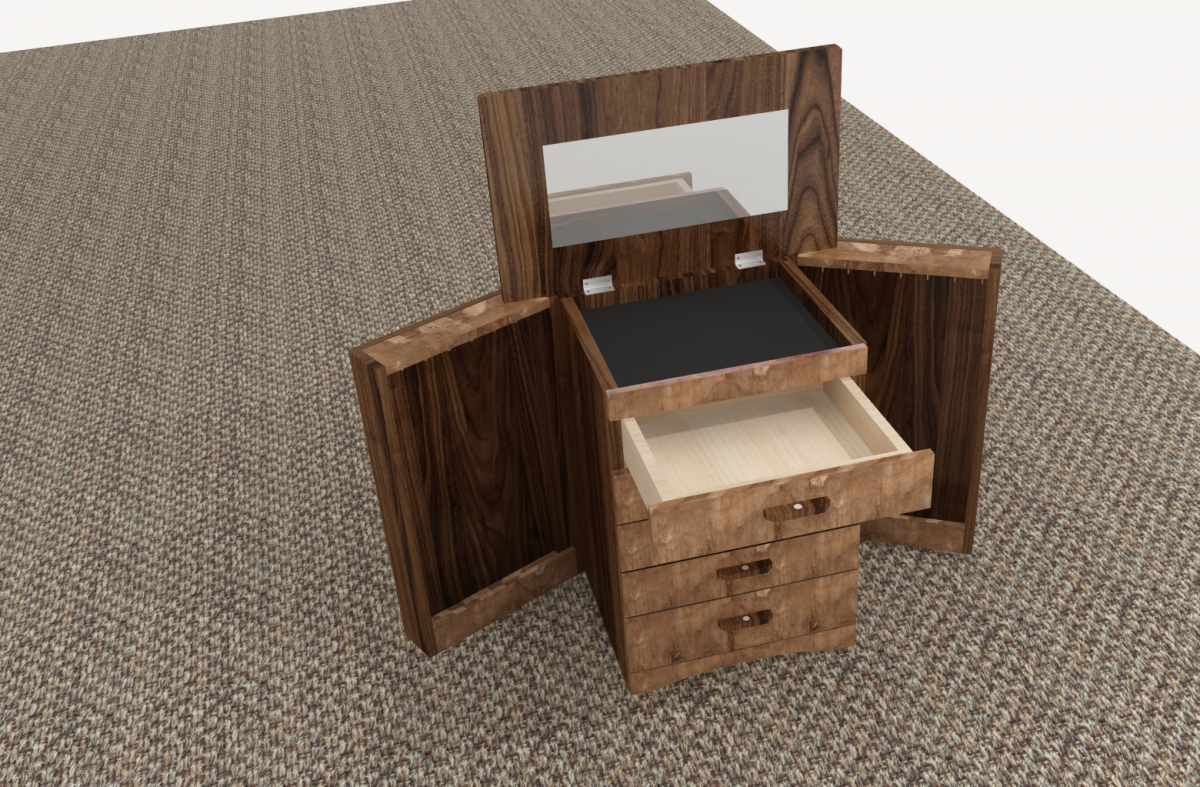
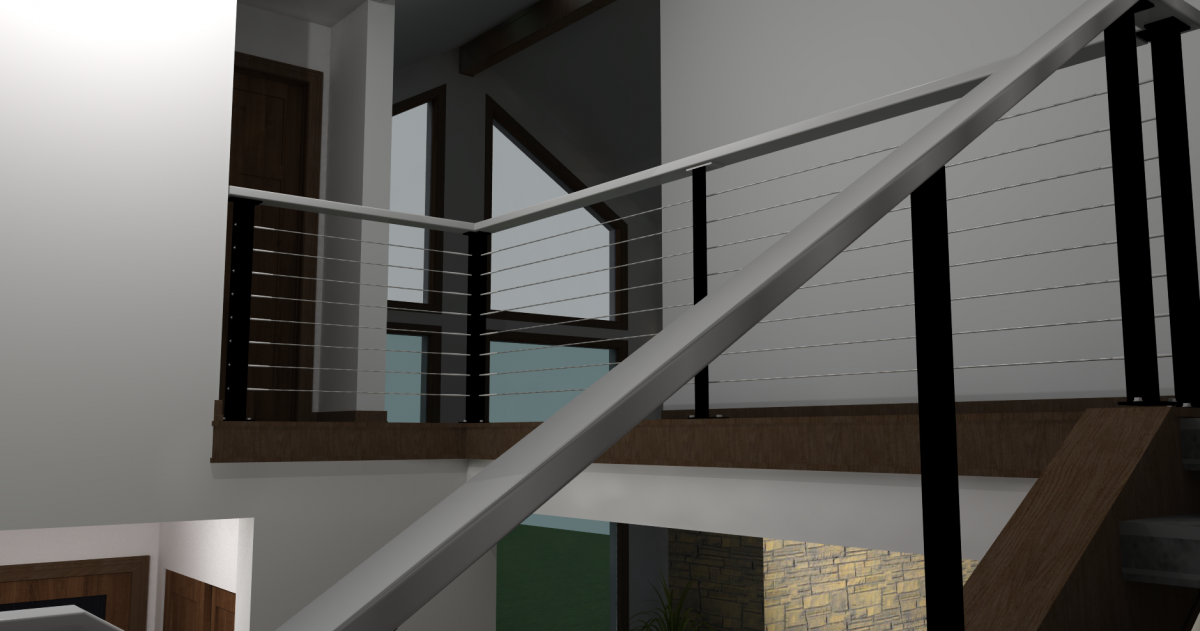
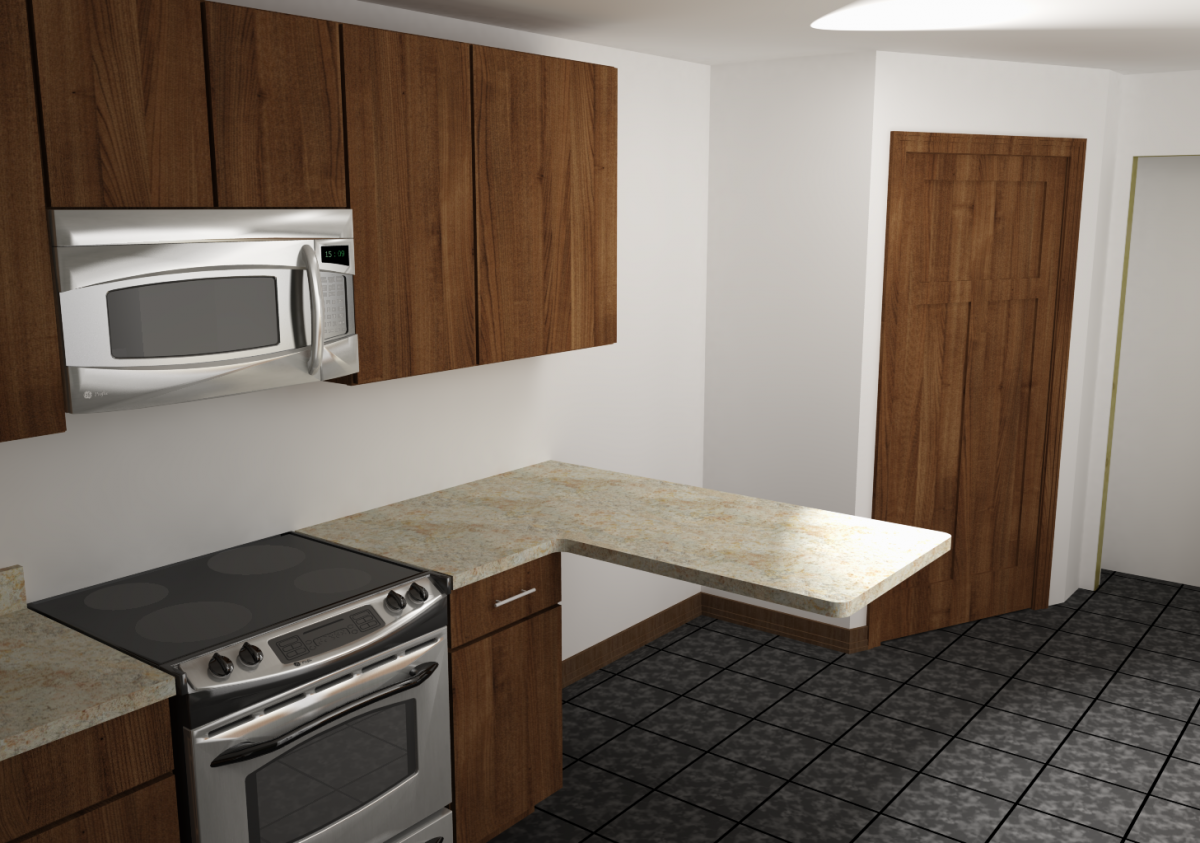
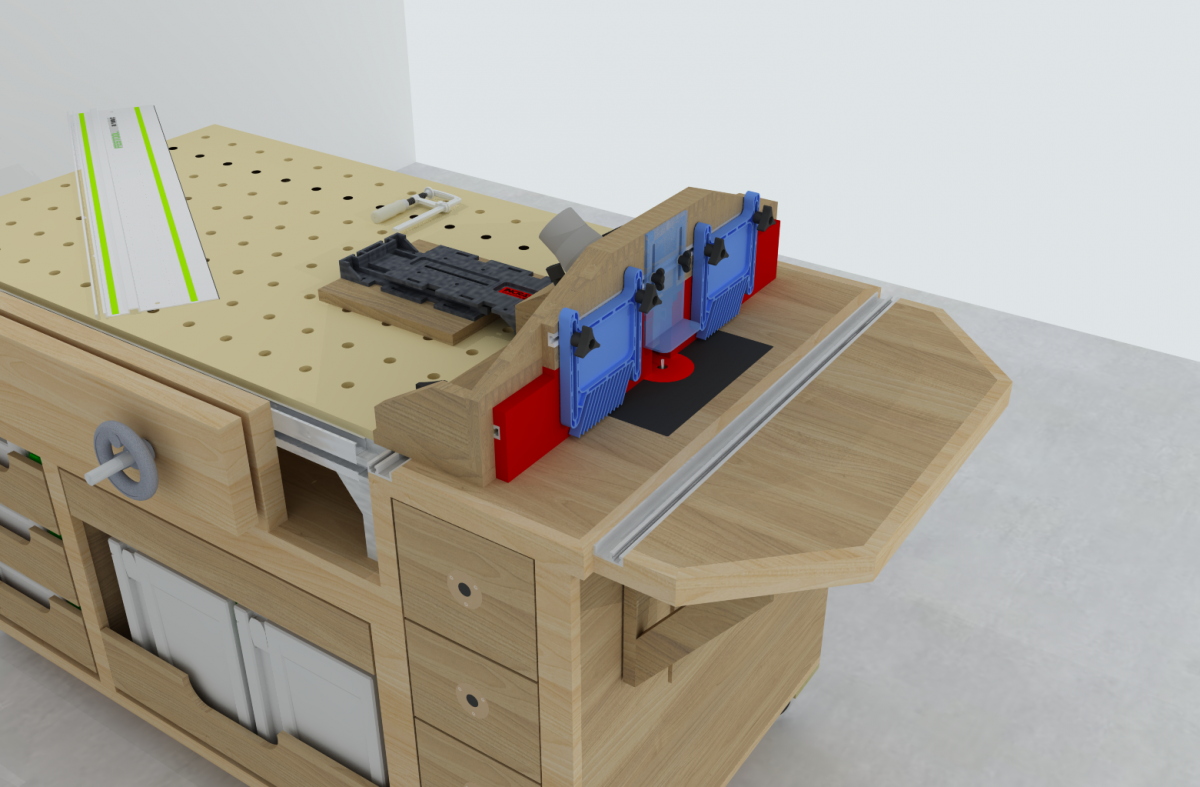
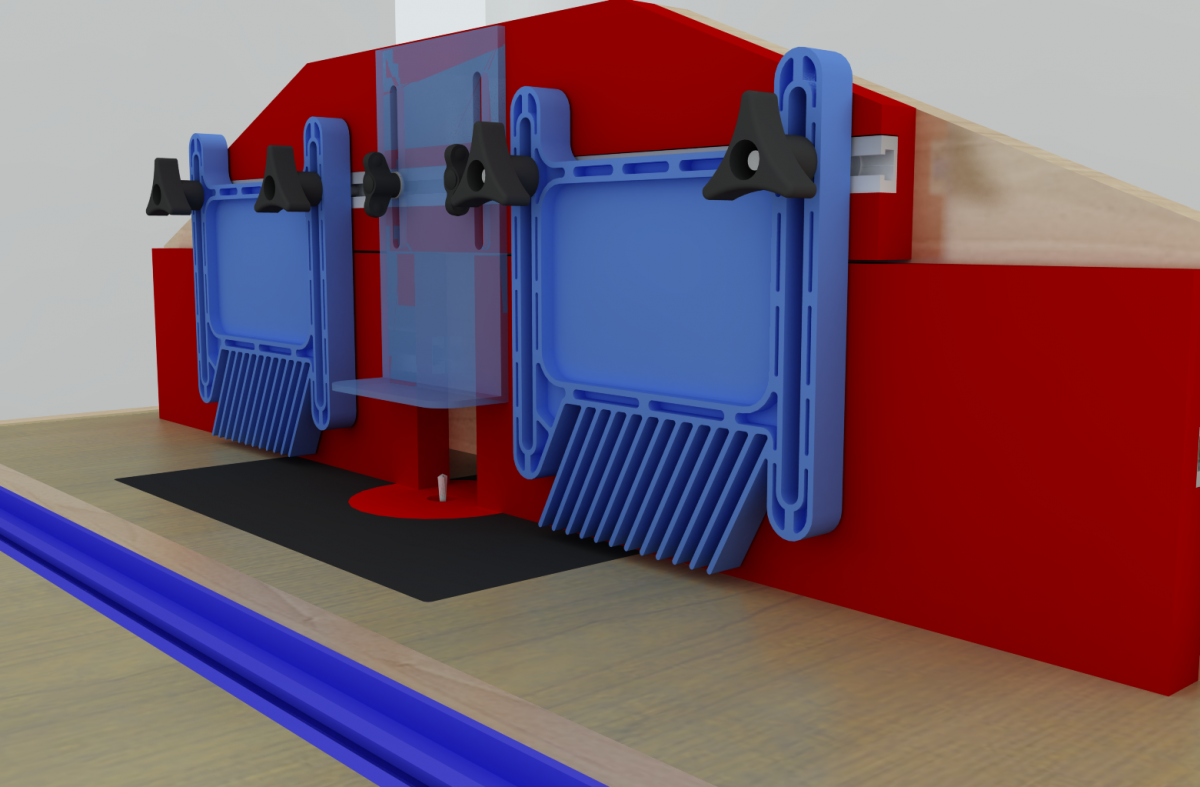
Here are a few shots from Sketchup that I have designed and built and a couple that are in the works.



JimboS1ice wrote:
50 minutes ago, JimboS1ice said:
I prefer solid works over inventor, may not be as user friendly but once you find your way around you can get things done a lot easier
Sent from my iPad using Tapatalk
Checked on fusion and its only free for 3 years haha
Anything for iOS yet?
Etch-a-sketch for you 😉
rfwjr wrote:
6 hours ago, rfwjr said:A youtube woodworker named Jay Bates did a series of Sketchup video on his channel.
That’s cool, I had downloaded the free trial and kind of played around and looked through the menu bars then something distracted me and I forgot about it since LOL
I am definitely interested in this and will likely try and work up an idea that i’ve had floating around my head and made sketches of..
Feel free to post “How do I” questions and if I can answer them or give you an example in Sketchup I will.
rrmccabe wrote:
7 minutes ago, rrmccabe said:Feel free to post “How do I” questions and if I can answer them or give you an example in Sketchup I will.
OK thanks! Great to have a resource such as yourself available, let’s see if i still have the program installed on my PC haha
I paid for the reader but that is ALL it does 🙁
ChrisK wrote:
Anything for iOS yet?
Just the autodesk sketch app for graphic design
Sent from my iPad using Tapatalk